 Agent Durbar
Never miss a waiting agent
One inbox for every agent waiting on you, oldest first, with how long each has waited. Answer with a click or a key.
Read moreFree · open source · first stable release
A free desktop app that puts your GitHub Copilot, Claude Code and Codex sessions in one office, with an inbox for every agent waiting on your OK.
macOS Apple SiliconmacOS IntelWindowsLinux
Stable v0.1.17 · unsigned · used by hand on Linux and on real Macs; on Windows it was tried once by hand on a real PC (2026-10-21) and is checked in CI (builds start on all three, and real-account end-to-end runs passed on all three, 9 of 9, 2026-10-20).
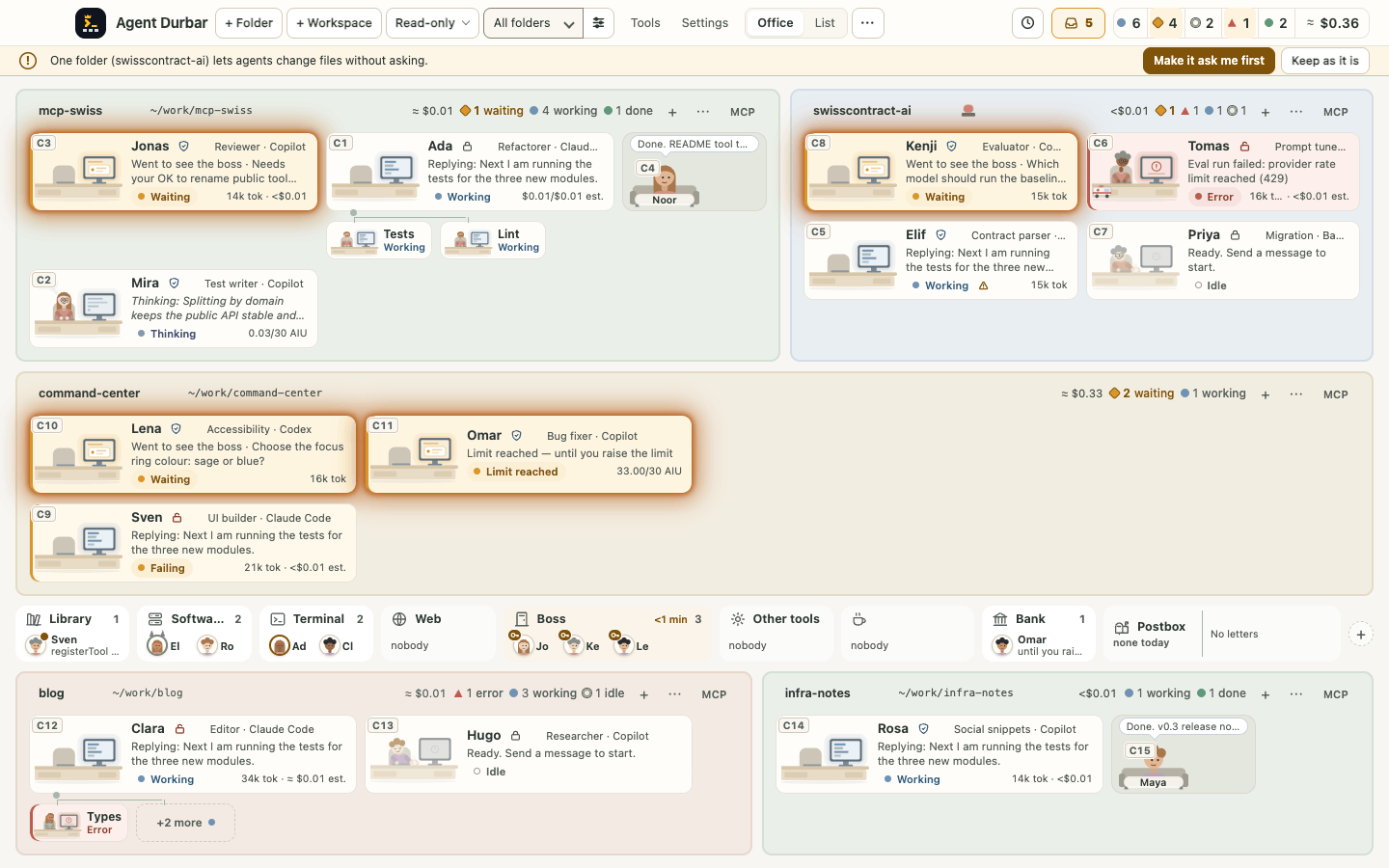
Simulator demo data: names, costs and tasks are invented. Tap the picture to see it full size.
Why “Durbar”? A durbar is a royal court where everyone gets a hearing. Here your agents are the court, and you decide who gets your attention.
Why Durbar
One inbox for every agent waiting on you, oldest first, with how long each has waited. Answer with a click or a key.
Read moreEvery agent starts Read-only. Switch to Ask first or Allow all only when you choose, per agent, any time.
Read moreCost estimates per folder and spending limits per session. Usage bills against your own plans: Durbar never charges you.
Read moreA room is a folder an agent works in: code, documents, research or notes.
Read moreHow it works
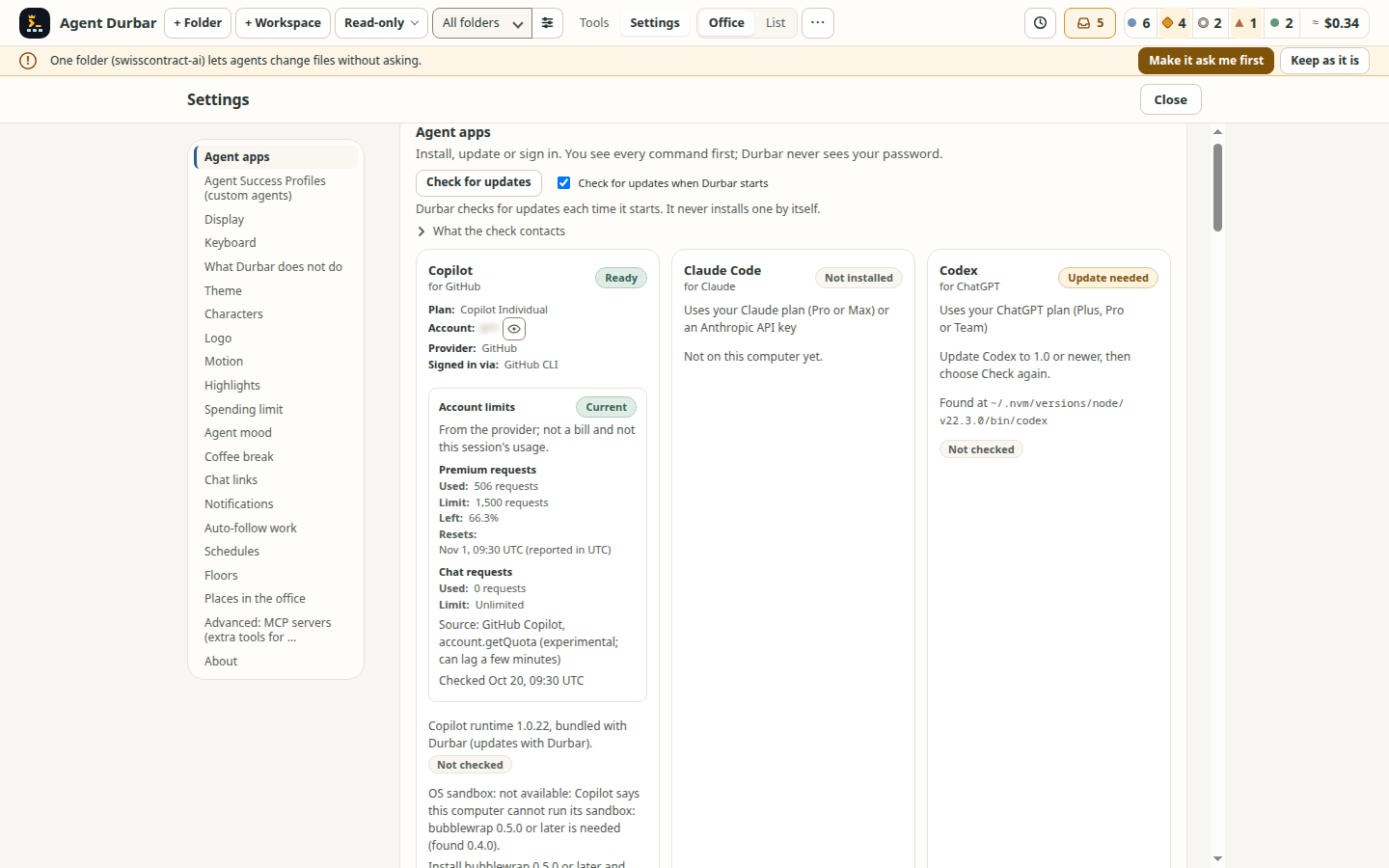
Connect the AI account you already have. Settings > Agent apps can install the agent app and sign you in with the vendor's own page.
Each folder becomes a room in the office, with one or more agents at its desks.
Open an agent to chat. Approve what it asks, and keep an eye on every other agent in the strip and the office.
Themes
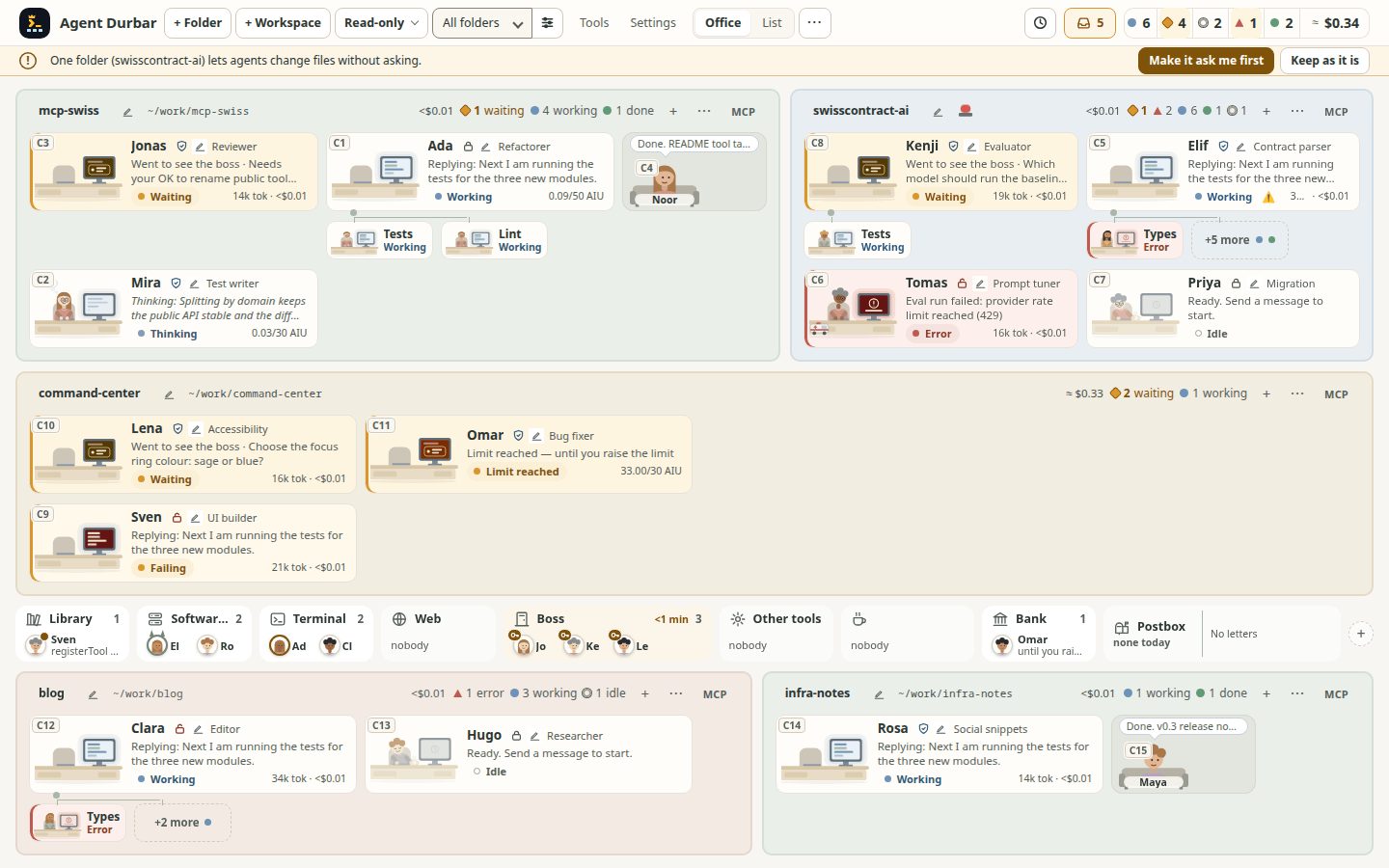
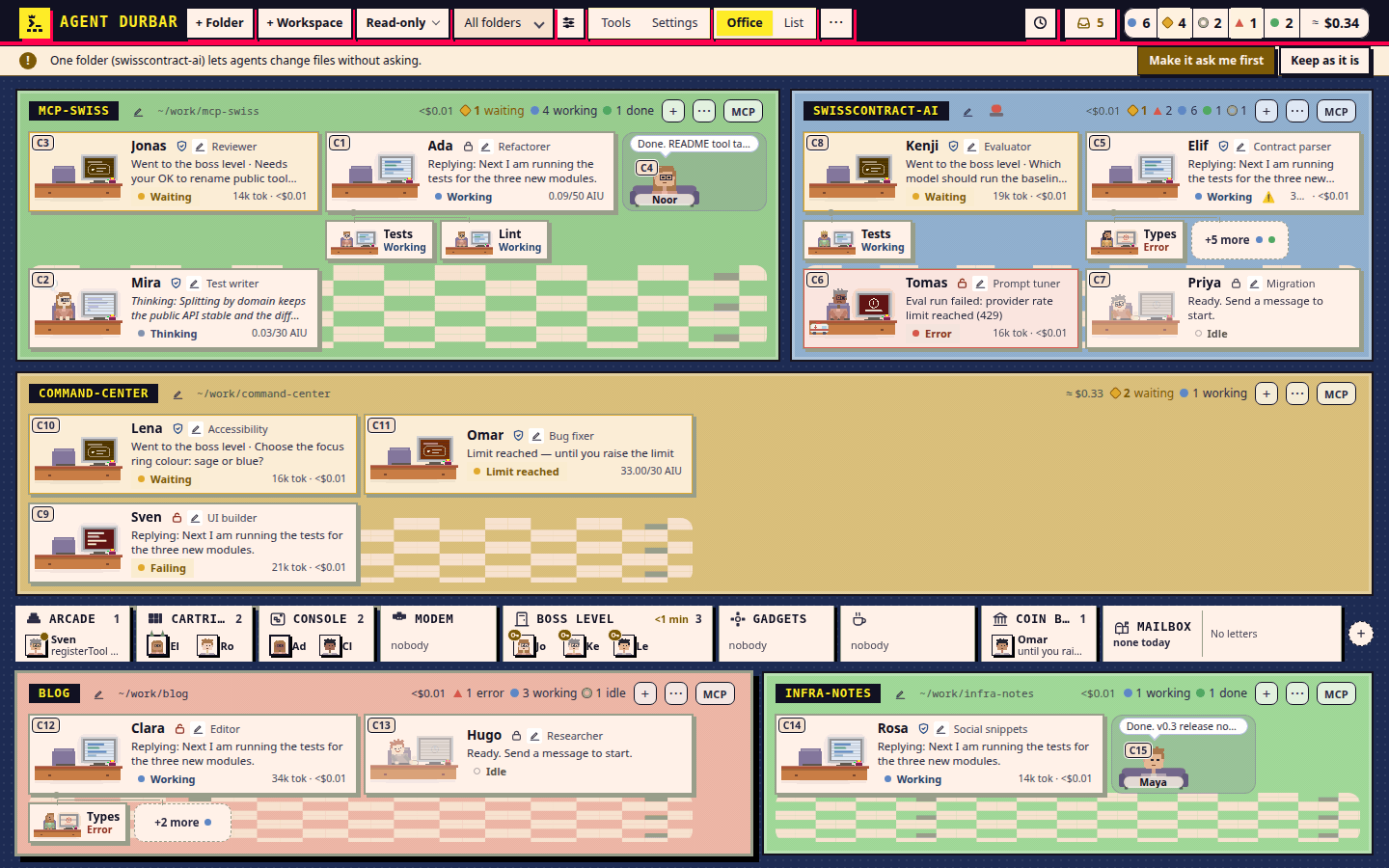
Two built-in looks change the whole app live: colours, frames, people and furniture. Status and permission words stay the same in every one.
Agent apps
Durbar drives the agent apps you installed and signed in to yourself. What we checked, and what we have not yet:
Checked on a real account since the first milestone, with the Copilot runtime from the official SDK and your own login.
Checked on Copilot Pro (2026-10-20): switching between two real models, the long-context tier and compact-and-switch work. Copilot's own runtime does not stop at a spending limit, so Durbar enforces the limit itself.
Checked on a real account: every mode, stop, resume, models, questions, MCP, sub-agents, the cost limit and summaries.
Installed, signed in and answering on Linux, macOS and Windows CI machines (end-to-end run, 2026-10-20); used by hand on a real Windows PC only once (2026-10-21), not day to day.
Checked on a real account: every mode, resume, models, history, questions, MCP tools, sub-agents and summaries; signed in with an API key and answering on Linux, macOS and Windows CI machines (end-to-end run, 2026-10-20).
Read-only and Ask first need Codex's own sandbox: on Ubuntu 24.04+ that takes an AppArmor profile, and on Windows Codex's elevated sandbox. Not yet used by hand on a Windows PC.
Built in the open and spec-driven: every feature has a public spec that says what was checked and what is a known gap. The specs · The board
Safety and cost
A new agent starts Read-only: edits, commands and other changes are denied. Ask first makes it wait for your OK; Allow all asks once to confirm. Durbar asks agents to stay in their folders; only Codex is held there by its own sandbox.
Each agent app reads its own sign-in. Durbar has no accounts, no servers of its own and no telemetry.
Give a session a spending limit in credits or dollars. Limits are soft by one call: the call already running finishes and can go a little over (and the first message after a resume may not be held); then the chat asks you what to do.
The full safety model · Costs and spending limits · Report a security problem
Questions
An assistant that works on its own in a folder: it reads files, runs commands and makes changes, and stops to ask when it needs you. GitHub Copilot, Claude Code and OpenAI Codex are such agents; Durbar lets you watch and answer several at once. More
No. One is enough: GitHub Copilot (a free plan works), Claude Code or OpenAI Codex. Durbar shows the ones you have and can install the others for you. More
The ones those apps already use: your GitHub account for Copilot, a Claude plan or an Anthropic API key for Claude Code, a ChatGPT plan or an OpenAI API key for Codex. Each app keeps its own sign-in; Durbar never sees your tokens. More
No. Durbar runs on your computer and has no servers, accounts or telemetry of its own. The agent apps talk to their own vendors exactly as they do without Durbar. More
Each person installs it on their own computer and uses their own plans. There is no shared server and nothing to administer. More
Durbar is free and open source (MIT). The agents bill your own plans; Durbar shows estimates and lets you set spending limits. More
No. A room is any folder an agent works in: code, documents, research or notes. More
Download
Latest: v0.1.17, 2026-11-12. The builds are not code-signed yet, so your system warns you the first time. Only open files from the Releases page.
Right-click the app and choose Open, or allow it in System Settings > Privacy & Security. If macOS says it is damaged, run xattr -dr com.apple.quarantine "/Applications/Agent Durbar.app".
Which file: Agent-Durbar-Setup-<version>.exe installs to the Start menu; Agent-Durbar-<version>-portable.exe runs without installing.
Edge may block the download ("isn't commonly downloaded"): open Downloads (…), choose Keep, then Show more > Keep anyway. Check the file in PowerShell: Get-FileHash .\Agent-Durbar-Setup-<version>.exe -Algorithm SHA256 and compare the hash with the line for that file in SHA256SUMS.txt. On "Windows protected your PC", click More info, then Run anyway. The Copilot CLI needs PowerShell 6 or later (GitHub's docs, not checked by us); Windows only ships 5.1. If the Copilot card says so, install it with winget install --id Microsoft.PowerShell -e.
Run chmod +x Agent-Durbar-*.AppImage && ./Agent-Durbar-*.AppImage. The AppImage's launcher entry no longer forces --no-sandbox; its AppRun adds the switch by itself only on systems without unprivileged user namespaces (you can also add it by hand).
Compare your file with SHA256SUMS.txt:
shasum -a 256 Agent-Durbar-*.dmgcertutil -hashfile Agent-Durbar-Setup-*.exe SHA256sha256sum -c SHA256SUMS.txt --ignore-missingWhat's new
+K open, its tile in the Open office, its row in the list) could be retired by the next end and the focus fell to the page.shots-097-screens failed 5 of 5 runs on a Mac (timed out waiting for the window active again) and passed 5 of 5 one at a time..cmd program in a folder with spaces now starts : VS Code's code.cmd, npm's npm.cmd and other .cmd programs went through cmd.exe /d /s /c without the outer pair of quotes that /s removes, so a path such as C:\Program Files\nodejs\npm.cmd broke at the first space.ghp\_…) was shown in a permission request's summary, while the desk already hid it.ghp\_…, g\hp_…, sk\-proj\-…) was shown, whole or in part, in the "Approve for this session" label, the activity log and its export, the brain view's step targets, the MCP config view and copy preview, and the read tools' answers to the agent.